PPO Control with the Standard Open ARM101
Motivation
Sim2real disconnects are a major pain point in deploying policies trained using typical reinforcement learning methods into the real world. Using my implementation of PPO, I wanted to gain experience with this process, by first training a policy within the IsaacLab simulator, and deploying it on a real-world robot, the SO-ARM101. I have previously used this implementation of PPO to train with a number of tasks provided in the IsaacLab simulator, and for this I trained policies for two tasks. The first is a simple reach task, where the policy learns to move the end-effector of the robot to a specified location. The second is a task to grasp a cube from the table in front of the robot and lift it to a designated location.
Sim2Real disconnects and solutions
LeRobot is used to command this robot and retrieve the current joint-states. These commands and observations are in normalized ranges [-100, 100] for each motor except for the gripper, which is in the range [0, 100]. Through the calibration of the robot, LeRobot abstracts the specific motor encoder values away from the user, and works in terms of a normalized workspace range, representing the limits of each joint. In my initial IsaacLab environment, the joints were controlled directly with radians based on the URDF. To address this gap, I implemented a similar normalization technique for both the observation term and the action term as inputs and outputs of the network.
Additionally, the initial values for the motor parameters did not match the real-world robot. The real-world robot uses a PD controller to move each motor to the commanded joint position. In IsaacLab, the proportional (P) term of the controller is represented by the stiffness value of a joint, and the derivative (D) term of the controller is represented by the damping value of a joint. Additionally, the velocity limit for the joints was initially set at a value around 30% of the real-world velocity limit, which meant that the model was trained on a much slower robot As a result of these mis-matches, the model performed as expected in the simulator, but poorly on the real-world robot. To fix this, I collected data on the motor’s step responses, as well as the velocity that the motors moved at. Using this, I tuned the simulator values to closely match the values the real-world motors had, and once I was able to re-train the model, it worked as expected on the real-world robot.
In the current state of this project, I have the reach task working as expected on the real-world robot. A video of the reach task on the real-world robot can be found below: 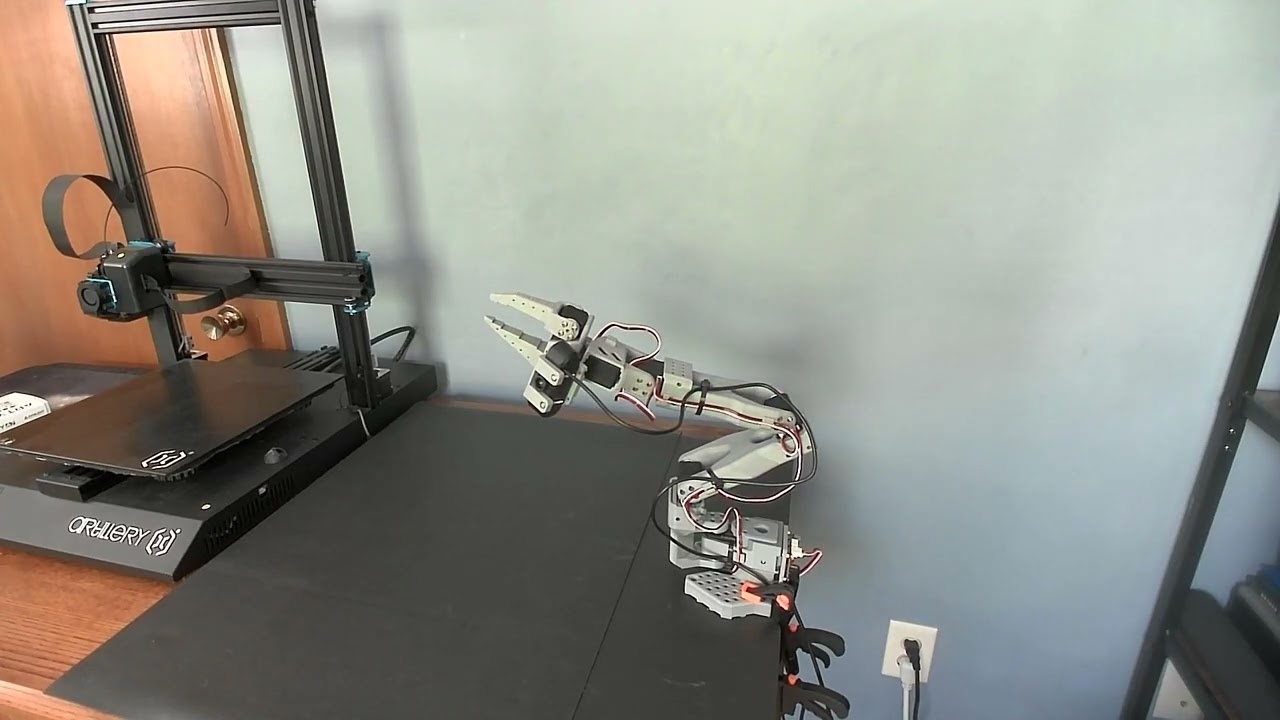 .
.
In this, the robot is controlled by a model which is trained to control and move the robot from any joint state to one where the end-effector is at a specific position in the robot’s coordinate frame. Once the end-effector is within 4cm of the target position, a new target position is randomly sampled in the workspace and the robot then moves to that location. As you can see in the video, the motion is not perfectly smooth, as the commands for each joint are specifying joint positions, not velocities, and there is some backlash in the motors themselves as they are inexpensive hobby motors. Regardless, I was able to train a model within IsaacLab and deploy it onto a real-world robot.
Code performance and control rate
I profiled the performance of my deployment script for the real robot with cProfile, and the results showed that the control loop of requesting joint-states from the robot through sending actions to the robot could run up to 500hz on the real robot. I trained my policy in rates of 15hz, 30hz, 60hz, 200hz, 400hz. As the rate that the model is executing increases, from 15hz to 400hz, the model appears to become smoother. To achieve this, I had to remove the dynamic target resampling once the end-effector is within a threshold of the target, and replace it with a set of 20 pre-sampled targets that the model provides equal execution time to each sequentially. In a robot deployed to solve a real-world task, I would do something similar, where the control loop runs on it’s own thread, and information about the environment would be calculated on a seperate thread, to increase the overall control rate of the robot.
My implementation of PPO that I am using can be found here, and my deployment scripts can be found here.
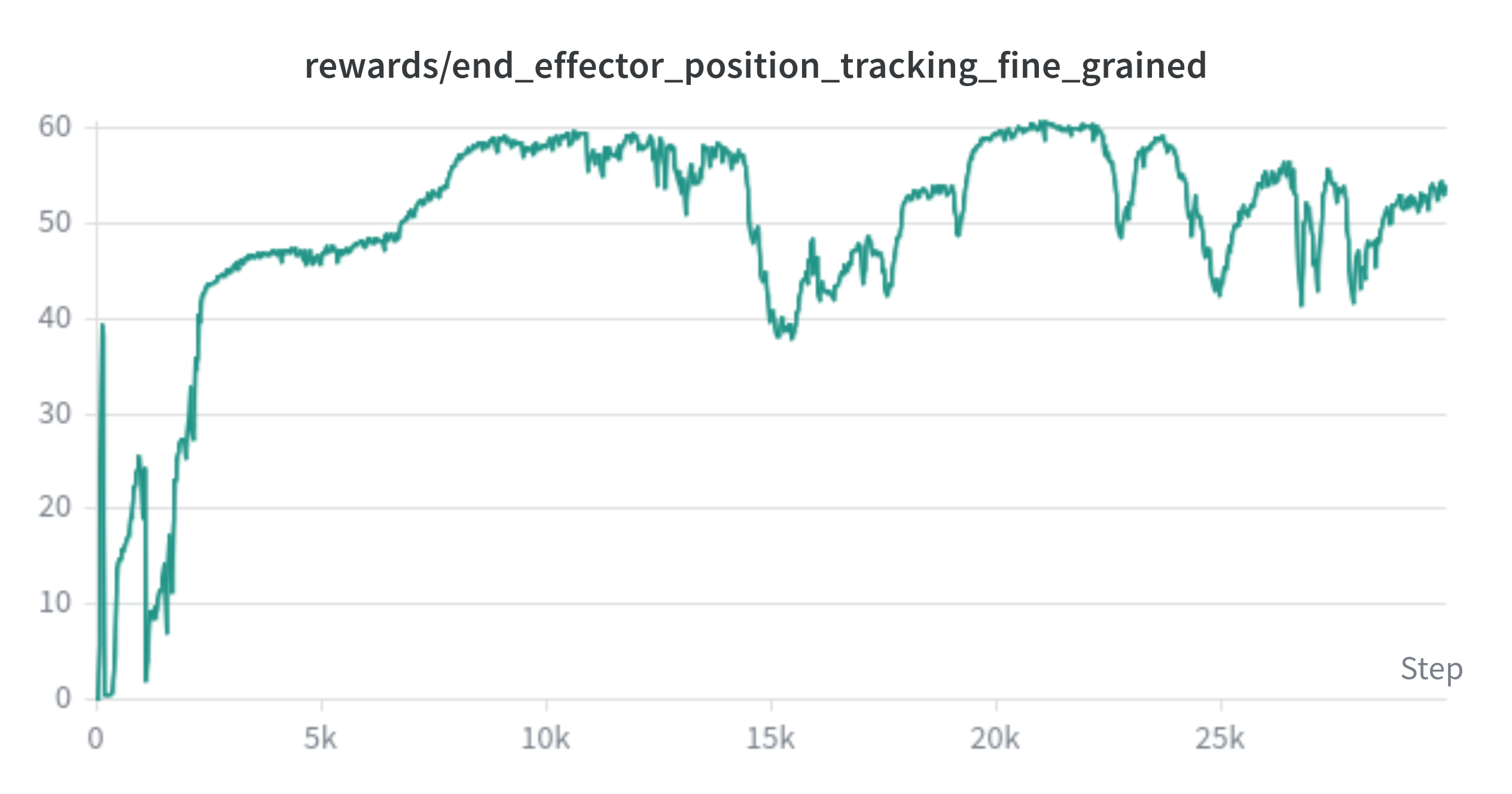
My trained models are shown below, both the final visual performance, and the fine grained end-effector position reward. This reward is a fine-grained reward for the end-effector position relative to the goal. It receives a reward for each step that it is close to the goal position, with a larger reward per step the closer the end-effector is to the goal.